
LinkedIn follow-up message: 6 examples that get replies
Your prospect stopped replying to emails? LinkedIn often unblocks the conversation: 3 rules, 6 messages to adapt, and how not to look like a spammer.
Why LinkedIn unblocks conversations email has lost
Your follow-up email went out a week ago. Nothing. You're hesitating to send a third — and you're right to hesitate: a channel that doesn't answer twice in a row probably won't answer the third time.
LinkedIn has three properties that make it an excellent follow-up channel:
- For most decision-makers, LinkedIn messaging is less saturated than their work inbox — and a message stays visible at the top of the list until it's opened.
- The context is visible. Your prospect sees your photo, your title, your posts. You're no longer an email address: you're an identifiable person, which makes silence harder.
- It gets read on mobile, often between two meetings. A three-line message gets read and answered within the minute — where an email "to deal with" waits for the return to the desk.
It's not a miracle channel: it's a different channel. And the golden rule of following up is precisely to vary channels at the right moment.
The 3 rules of a LinkedIn message that gets read to the end
- Three lines, no more. On mobile, your message must fit on one screen without scrolling. If you need more, it's an email — or a call.
- One question only. Not two, not three. One precise question that can be answered in five words ("yes, Thursday", "not before October"). The more you ask, the less you get.
- Context in the first sentence. Your prospect may read fifteen messages a day. Remind them in five words how you know each other ("following our call on Tuesday", "after my quote on the 3rd") before asking anything.
And one implicit rule: no link and no attachment in a LinkedIn follow-up. Links scare people off, attachments don't open on mobile. You offer, they accept, you send — in that order.
6 LinkedIn follow-up messages ready to adapt
The six messages cover the most frequent situations. Match the register of your previous exchanges.
1. After a connection request is accepted
"Thanks for connecting, [first name]. I saw that you [specific detail from their profile or a post]. On my side, I help [type of clients] to [result]. If the topic ever comes up for you, I'm here — otherwise, glad to follow what you post."
Why it works: you personalize, introduce yourself in one sentence, and demand nothing. It's the message that makes the following ones legitimate.
2. After a first exchange that went unanswered
"[First name], picking up on our exchange from [date] about [topic]. You'd mentioned wanting to [what they said]. Still on the table, or pushed back for now?"
Why it works: you quote their own words. It's hard to ignore a question about what you yourself said.
3. After a discovery call
"Thanks for the call this morning, [first name], it was clear and concrete. As agreed, I'll send [the quote / the recap] by email by [day]. Any question in the meantime? Write to me here, it's the fastest."
Why it works: you confirm the next step on a channel where they'll reply fast, and you establish LinkedIn as the conversation thread.
4. To switch over from an unanswered email
"[First name], I sent you the quote for [project] on [date] by email — it may have landed in spam or under a pile. Would you rather I resend it here, or that we talk it through for 15 minutes this week?"
Why it works: you offer an elegant excuse for the silence (spam, the pile) and two simple options. It's the message that unblocks the most pending quotes — the full rhythm is here.
5. Reacting to a post by the prospect
"Your post on [topic] is well timed, [first name] — it's exactly what we were discussing about [project]. Have you moved forward on your side?"
Why it works: the follow-up becomes a natural conversation. Reserve it for when the link to your topic is real — otherwise it rings false.
6. The breakup message
"[First name], I don't want to clutter your inbox: I'm filing [project] on my side. If it becomes a priority again, one message and we pick it back up. All the best!"
Why it works: it lifts the pressure and forces a decision. Many prospects reply at precisely that moment.
Email or LinkedIn: when to switch channels
The simple rule: two unanswered attempts on one channel, then you switch. Two unanswered emails → one LinkedIn message. Two unanswered LinkedIn messages → a short call, or back to email with a fresh angle.
What that looks like in a classic follow-up cycle:
| Moment | Channel | Goal |
|---|---|---|
| Day 1 | Recap and next step | |
| Day 3 | First follow-up, concrete time slots | |
| Day 7 | Channel switch, message 4 above | |
| Day 14 | LinkedIn or call | Lift the blocker |
| Day 30 | Email or LinkedIn | Breakup message |
Two guardrails: never more than two channels in parallel, and never two channels on the same day. The goal is to be seen, not to corner your prospect. The detailed rhythm by lead warmth is in how many times to follow up.
The mistakes that make you look like a spammer
- Pitching as soon as the connection is accepted. "Thanks for connecting! As it happens, I offer...": the most hated message on LinkedIn. Introduce yourself, don't attack.
- The visibly automated message. Misspelled first name, catch-all phrasing, no detail from the profile: your prospect spots it in a second and files you under robot.
- Three follow-ups in three days. LinkedIn shows the time of every message: your persistence is timestamped.
- The unsolicited voice note or video. On mobile, between two meetings, nobody wants to listen to four minutes of monologue.
- Copy-pasting between prospects. A generic sentence can pass once. Repeated across ten profiles at the same company, it gets around — and burns you.
The nuance to remember: following up means bringing a new angle at the right tempo. Harassing means repeating the same thing louder.
Never lose track of your LinkedIn conversations again
The real problem with LinkedIn as a follow-up channel isn't writing the messages. It's the tracking. Your conversations pile up in an inbox with no reminder date, no status, no deal amount. Two weeks in, you no longer know who you followed up with, when, or what they replied — the same trap as prospects scattered across channels.
The fix is simple: every LinkedIn conversation that gets serious goes into your pipeline, with its source ("LinkedIn"), its stage, its amount and — above all — a next action date. The channel is LinkedIn; the system lives elsewhere.
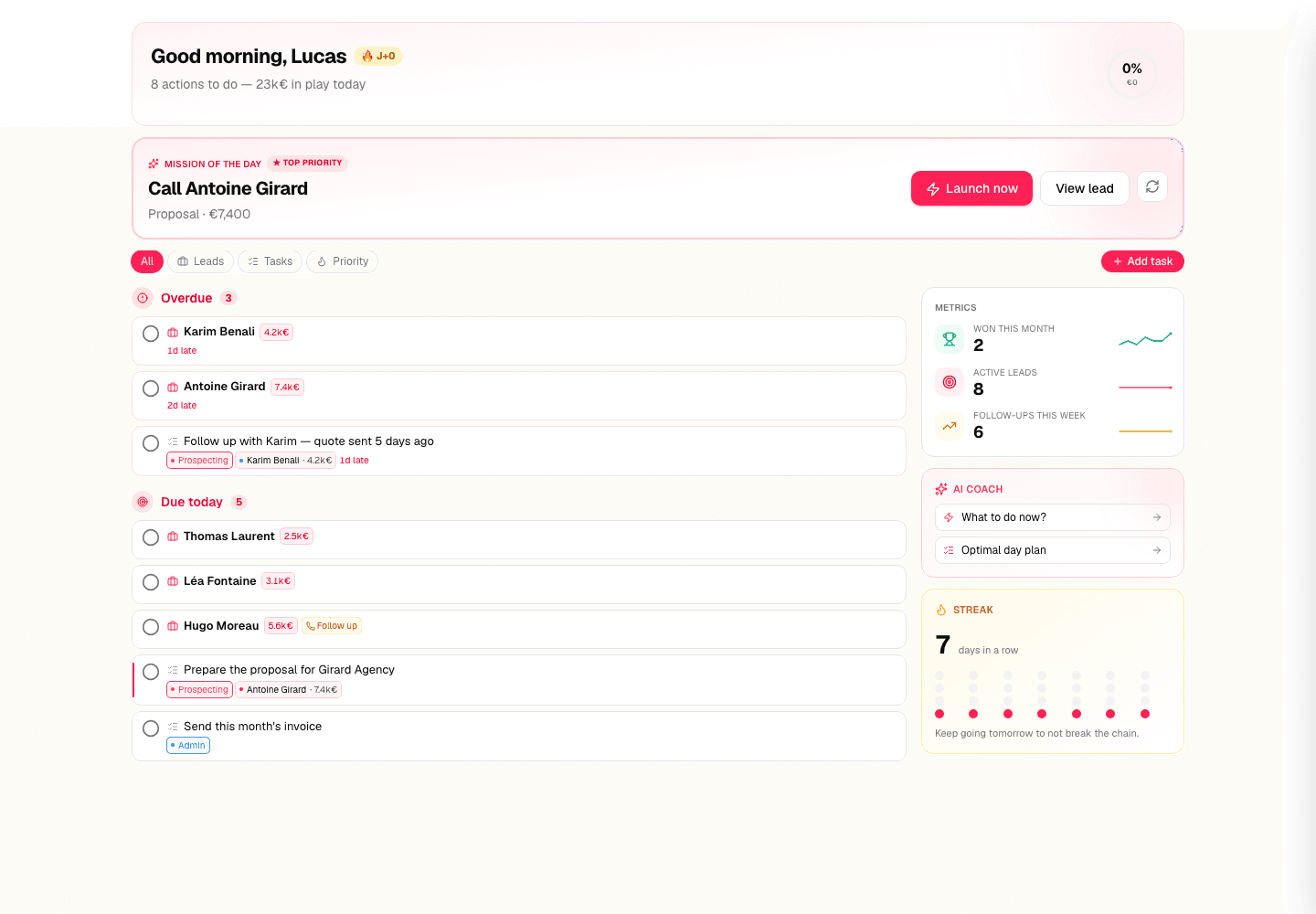
That's what Axoloti does: you log the follow-up you sent, set the next one, and every morning your list tells you who to reach — by email, LinkedIn or phone. Free up to 10 leads, no credit card.
Ready to stop losing deals to forgetfulness?
Get started free — up to 10 leads, no credit card.
Start for free